Caching Playwright Binaries in GitHub Actions
I’ve always enjoyed using Playwright, but never want to wait for the binaries to download. I’ve tried a few different strategies to speed this up, but the one I’ve settled on is to cache the binaries in GitHub Actions.
The primary issue that I’ve had with caching the binaries is that while the binaries can easily be cached, the operating system dependencies must also be installed if not present. The key bits are in the following steps of my GitHub workflow.
- uses: actions/cache@v3
  id: playwright-cache
  with:
    path: |
      ~/.cache/ms-playwright
    key: ${{ runner.os }}-playwright-${{ hashFiles('**/package-lock.json') }}
- run: npm ci
- run: npx playwright install --with-deps
  if: steps.playwright-cache.outputs.cache-hit != 'true'
- run: npx playwright install-deps
  if: steps.playwright-cache.outputs.cache-hit == 'true'
And it works! 🎉
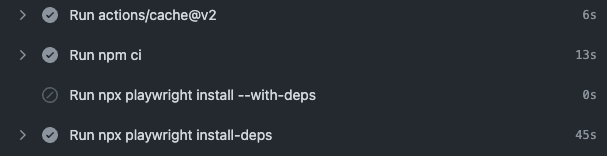
Output for the GitHub action with Playwright browser binaries cached
If you don’t do this properly, you might run into the following error.
Host system is missing dependencies to run browsers.
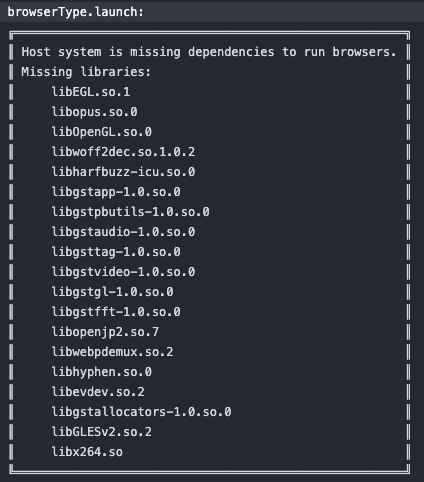
Missing dependencies to run browsers
Without any caching, the build took 1 minute and 43 seconds. With caching, but still installing the host dependencies, the time was 45 seconds, plus about 17 seconds for cache loading/saving, leading to a reduction of about 40 seconds for every build.

Build time without caching
Opinions are my own and not the views of my employer.
© 2022 by Justin Poehnelt is licensed under CC BY-SA 4.0